Prepare with context
Before reviews, I studied the product, the domain, and existing user flows so that each recommendation was grounded in the real problem—not personal preference.
Unified Data Platform Case Study Client Project
Research, UI design,
presentation & review
6 complex modules
100+ screens redesigned
12 people
3 designers · 6 developers · 3 QA
You are a data engineer inside a large enterprise. To move one job forward, you jump between tools to find a source, transform data, monitor a run, and troubleshoot what failed.
Each switch costs context. On a slow connection, routine tasks stretch into hours—and every disconnected handoff creates another chance for errors or sensitive company data to be mishandled.
The real problem: the work is already complex. The tools should not make it harder.
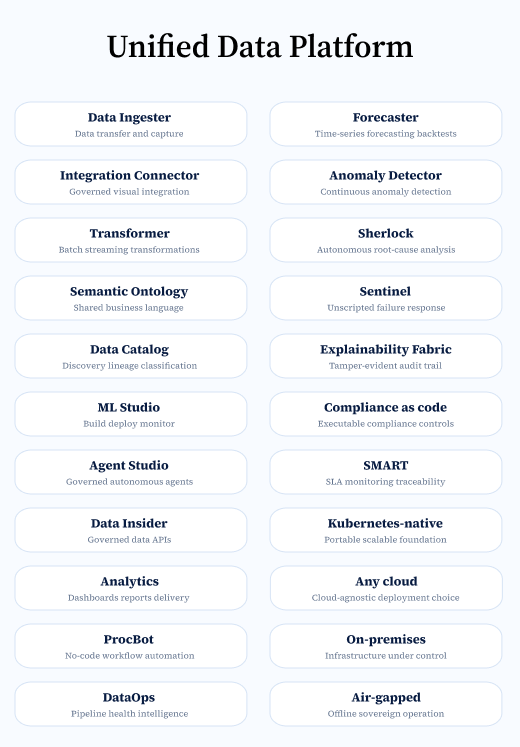
Visionwave's big data management platform is not another standalone tool. It is designed specifically for large enterprises. It enables enterprises to manage, govern, and trust the data they need for everyday decisions and AI model training.

We were a team of 12 people, including 3 designers, 6 developers, and 3 QA testers.
Among designers, I had the most amount of product knowledge, so I was the idea man. Here is my role breakdown:
Before redesigning the platform, we identified the issues that made everyday work more difficult for users. These were the main problems we set out to solve:
Above all, we faced significant time constraints across both design and development. We had just two months to deliver the application to the client while redesigning several complex modules covered throughout this case study.
To accelerate the design and development process without compromising quality, we relied on proven third-party tools and libraries: Untitled UI design system, Apache NiFi, and AG Grid.
.avif)
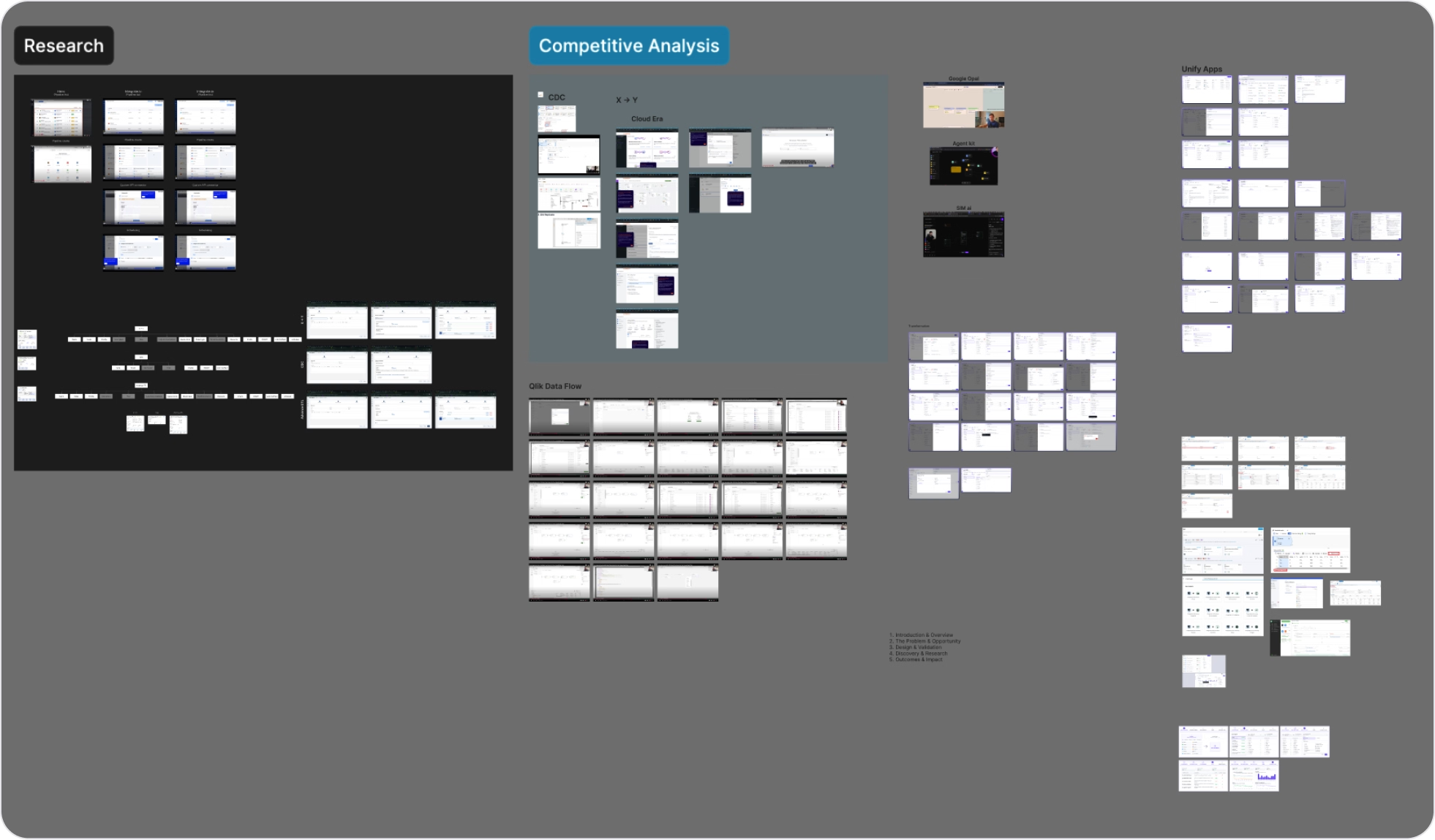
During the research phase, we studied applications such as Hevo Data, Skyvia, Qlik, Cloudera, Unify App, Fivetran, Integrate.io, and more. This helped us understand the landscape of the complex big data processing tool we were designing.
This redesign was of software which was primarily designed by non-designers. The thinking behind that was of the product owner we were working with. He had been working on this product for a couple of years.
After closer inspection of the information architecture (IA) and user flows, we found several fundamental flaws in the design. These fundamental flaws were the main cause of inconsistencies and poor user experience in the product.
Redesigning six complex modules within a strict two-month deadline required a massive shift in our workflow. To deliver on time, we had to prioritize our efforts and leverage third-party components instead of building everything from scratch.
Leading stakeholders is one of the most important parts of the design process. In this project, there were multiple stakeholders. This made the approval process lengthy because everyone had different opinions and wanted to tweak the solution in their own way. To tackle this problem, I follow a checklist which keeps me on track so I do not present ideas unprepared:
Invest time in understanding the product, industry, and the user before meeting with the stakeholders. This helps in building trust and allows me to ask the right questions.
Every problem is different, so to get approval we must present the right screen in front of the right person to get the best feedback and valuable approval.
To take our design to the next level, it is crucial for us not to get attached to our own designs.
Stakeholders are busy. So it is crucial for us to present our designs with good examples and research to back our decisions.
Every stakeholder is different, so it is crucial to understand their communication patterns and choose the right medium, like email, one-on-one meetings, PPTs, or messages.
We studied applications like Hevo Data, Skyvia, Qlik, Cloudera, Unify App, Fivetran, Integrate.io, and more in our research phase. This was necessary to understand the landscape of the complex big data processing tool we were dealing with.
With several stakeholders reviewing a complex product, feedback could easily pull the work in different directions. I kept conversations focused on the user journey, delivery priorities, and the problem each workflow needed to solve.
Before reviews, I studied the product, the domain, and existing user flows so that each recommendation was grounded in the real problem—not personal preference.
I brought the right people into each decision, surfaced trade-offs early, and used examples and research to make feedback specific and useful.
When time pressure or competing opinions appeared, I prioritised the critical workflows and used user needs as the shared measure for design decisions.
There were a total of 100+ screens we were required to redesign. Every module was fundamentally different from one another. To redesign such a large solution, we needed to focus on one thing at a time, while making sure that the solution was consistent in the end. For this, my past experience with the application was quite helpful because I was familiar with the system.
The business strategy here was to achieve a wow effect from our client. We were already working with this client and we were trying to upsell this offering. To achieve this, we improved the User Interface of the application and worked on the complexity of Apache NiFi and improved it further.
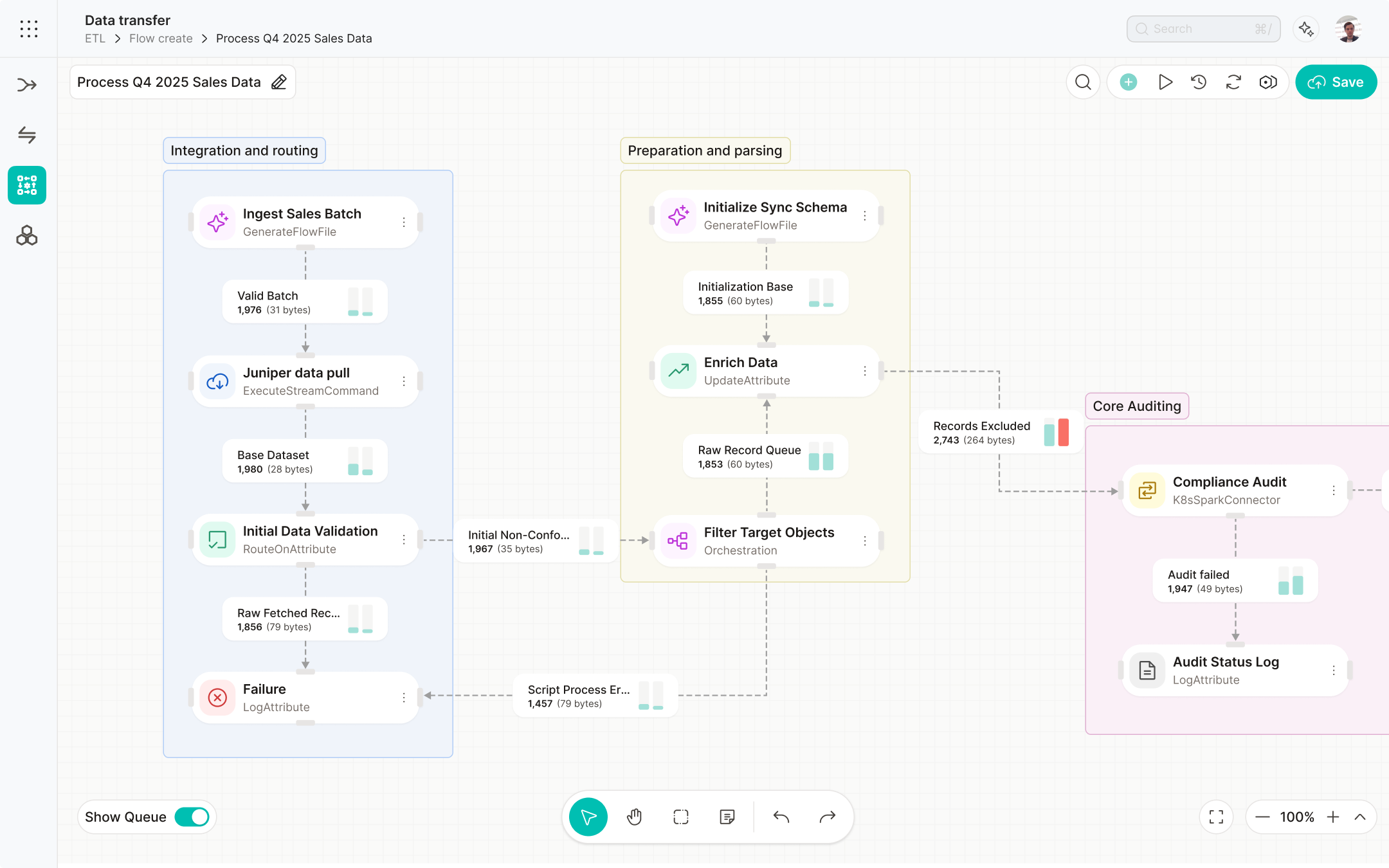
Moreover, Advanced ETL was one of the core technologies of the Unified Data Platform and was the most powerful sub-module. Here we provided a simple drag-and-drop interface for the users to create data pipelines, powered by Apache NiFi.
.png)
.png)
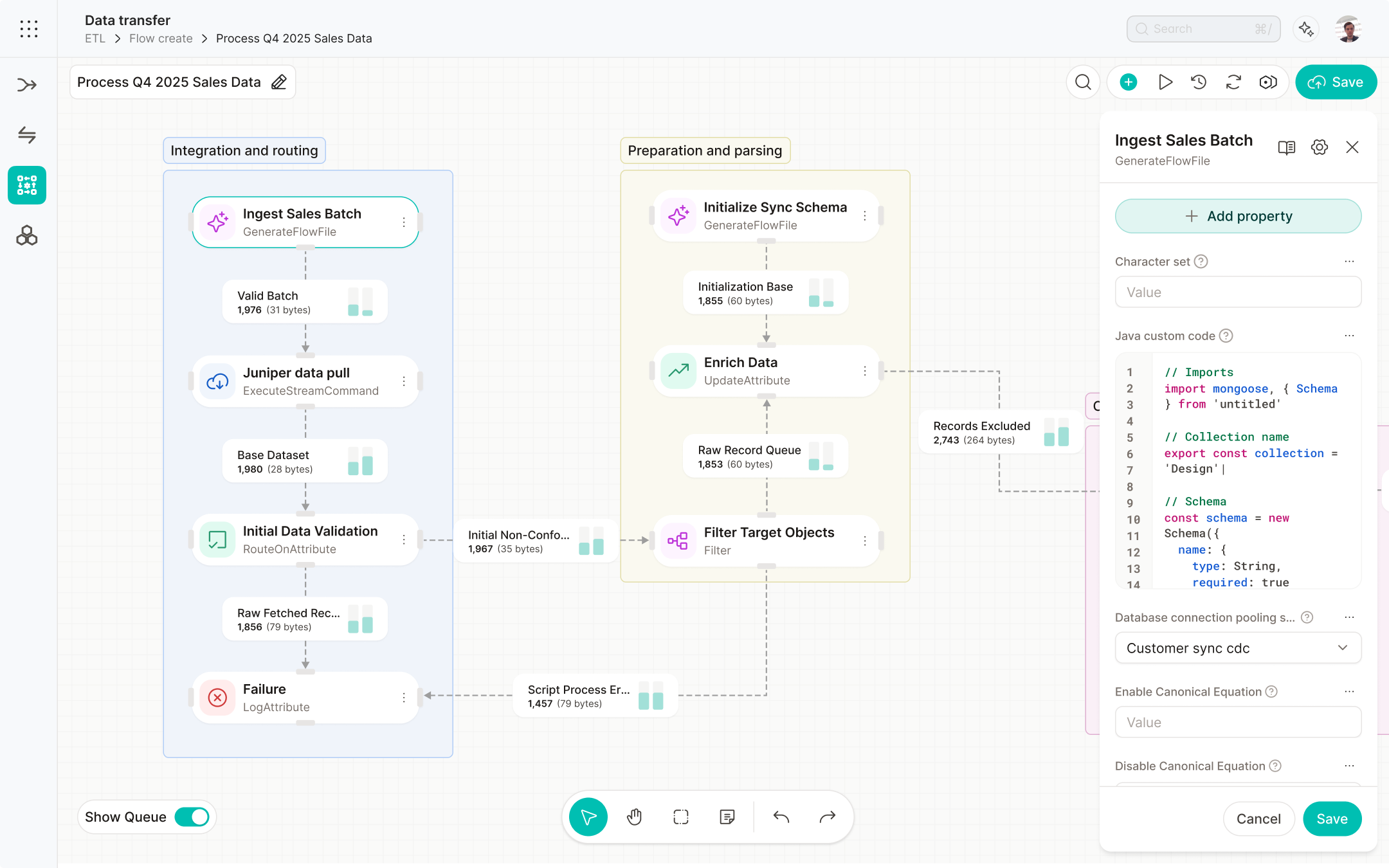
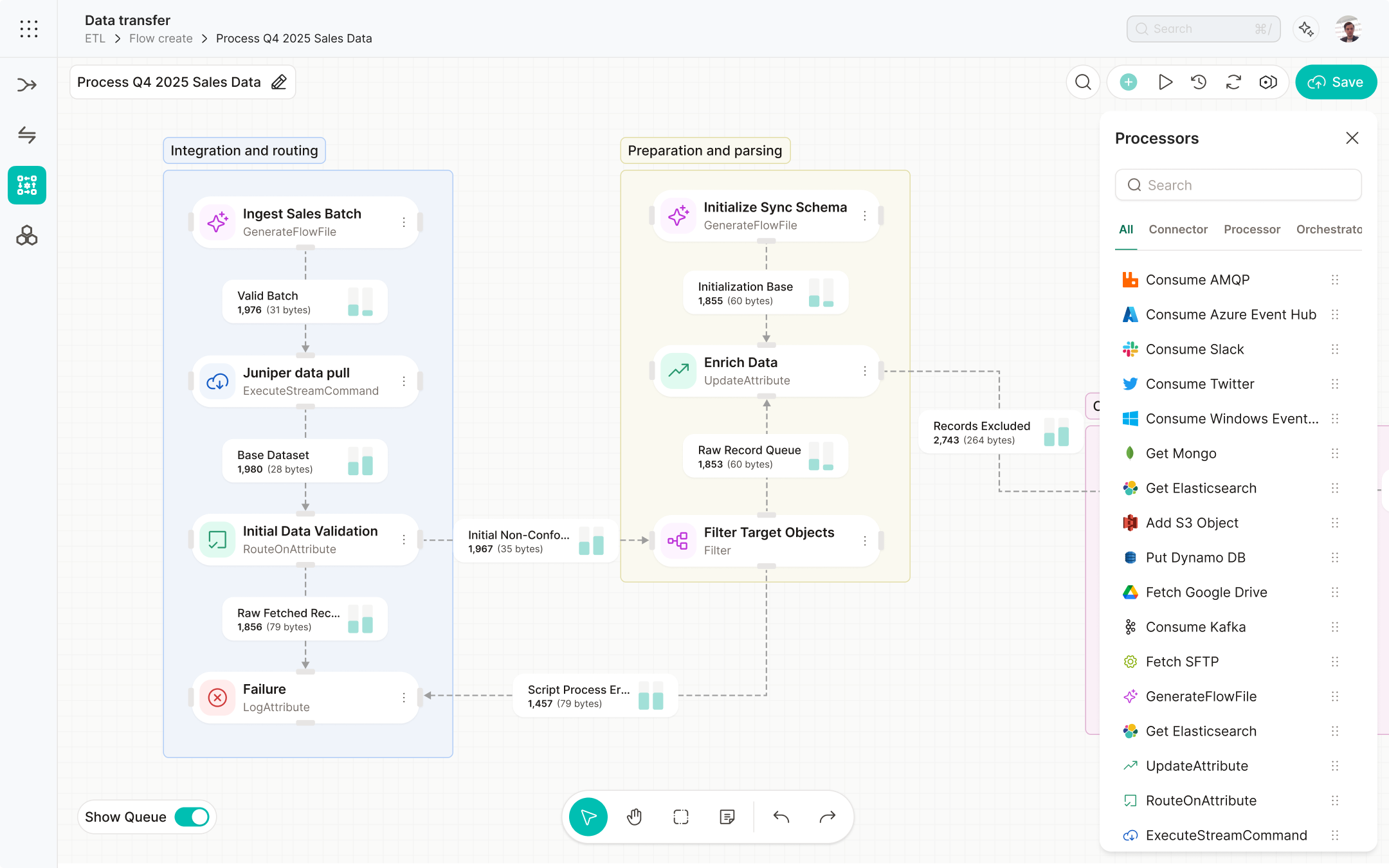
After discovering that our system was missing several key features, we came up with this design which showed almost all the information which NiFi has to offer.

This was the second mid-fidelity version we designed. The vision here was to make the design simpler by removing the clutter.

The client was impressed and stakeholders were happy. We received a lot of compliments about our redesign in the client meeting.
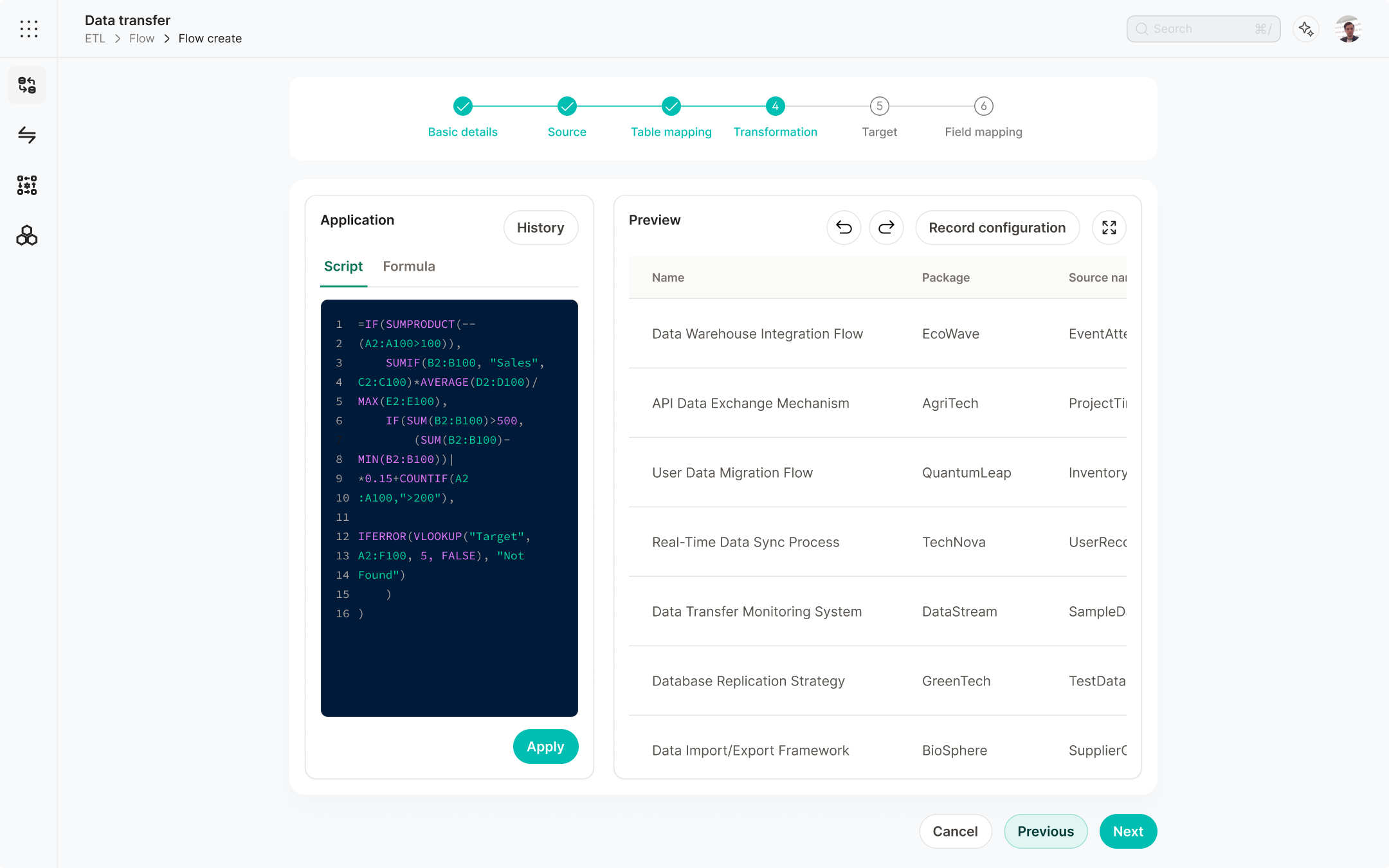
Apart from the redesign, we also had to add new features to our transformation step. This was the product requirement provided by the product owner. For the redesign, we studied several of our competitors and found several ways they had managed the complexity of the UI. Based on that, we found these problems and solutions.
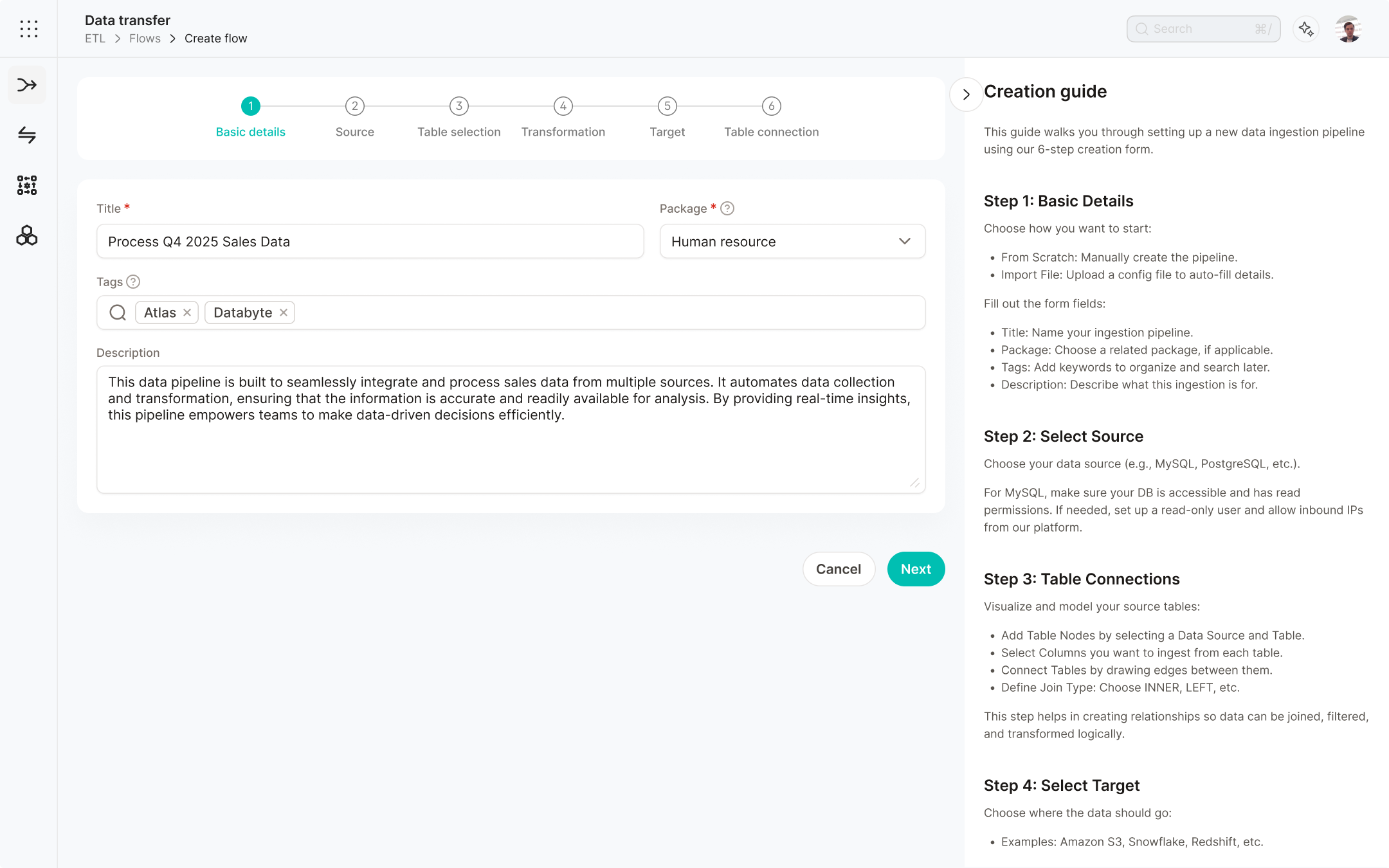
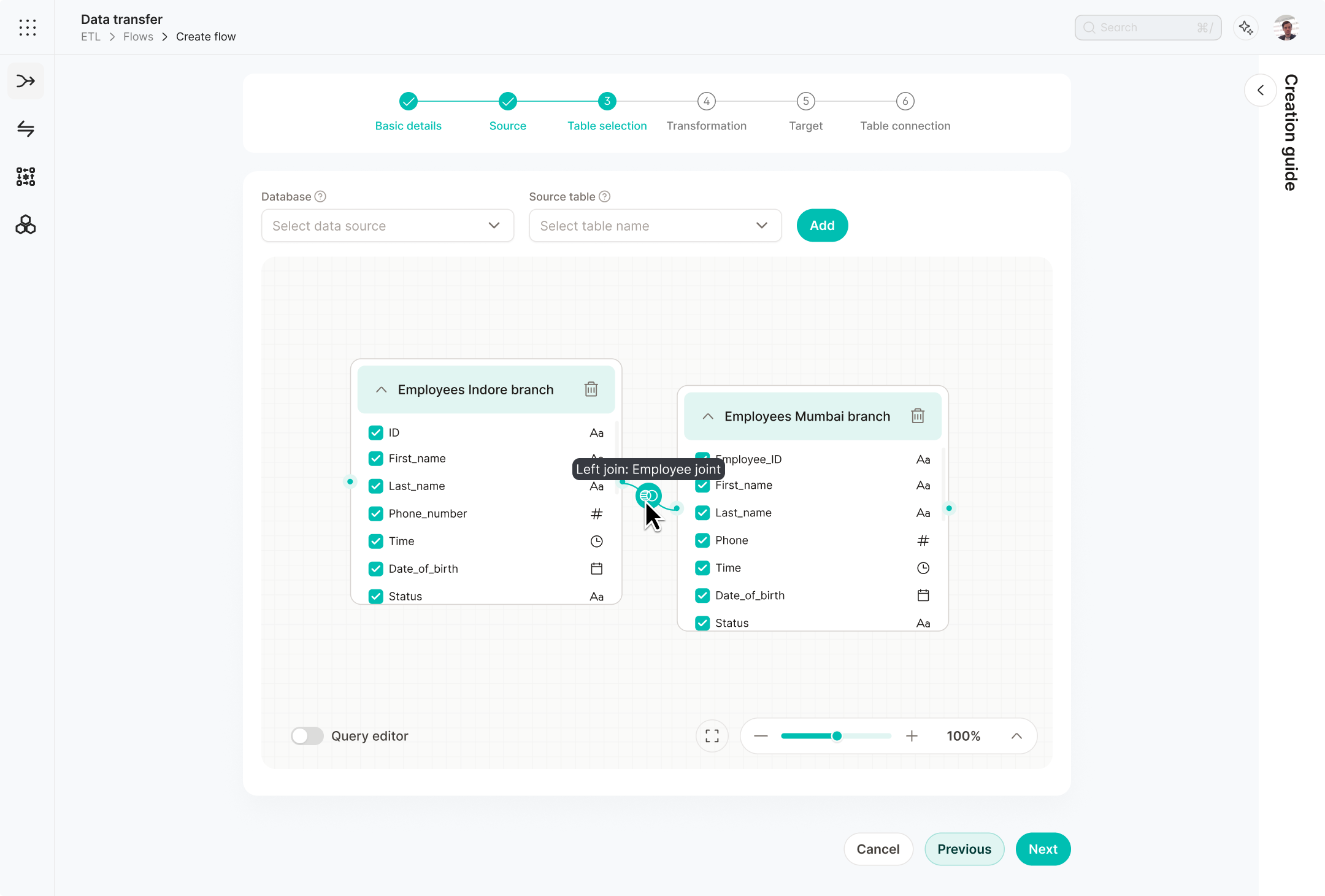
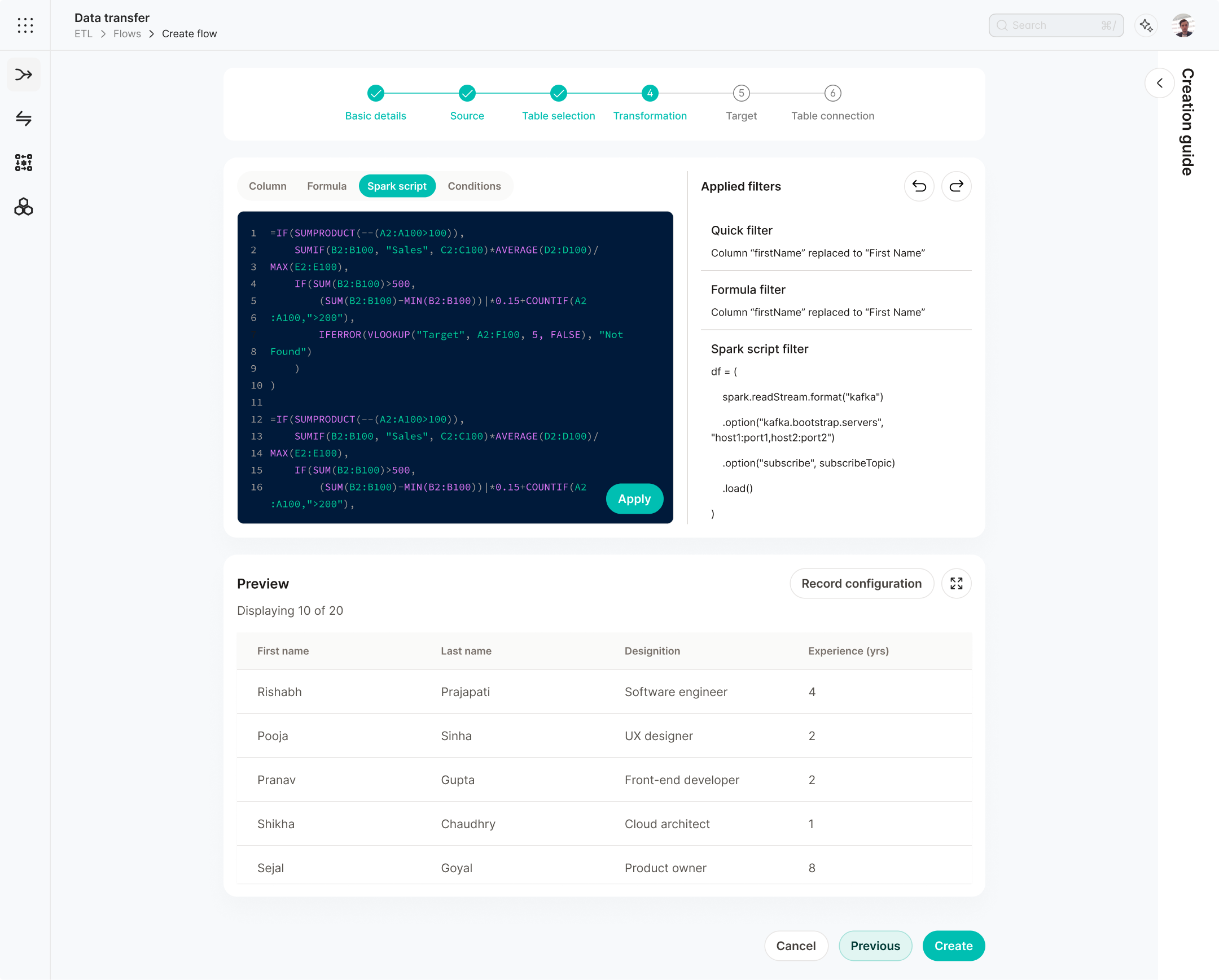
This was one of our first approaches to solving the problem by keeping the UI minimal. However, it missed several key features and made the process more hectic for the user.
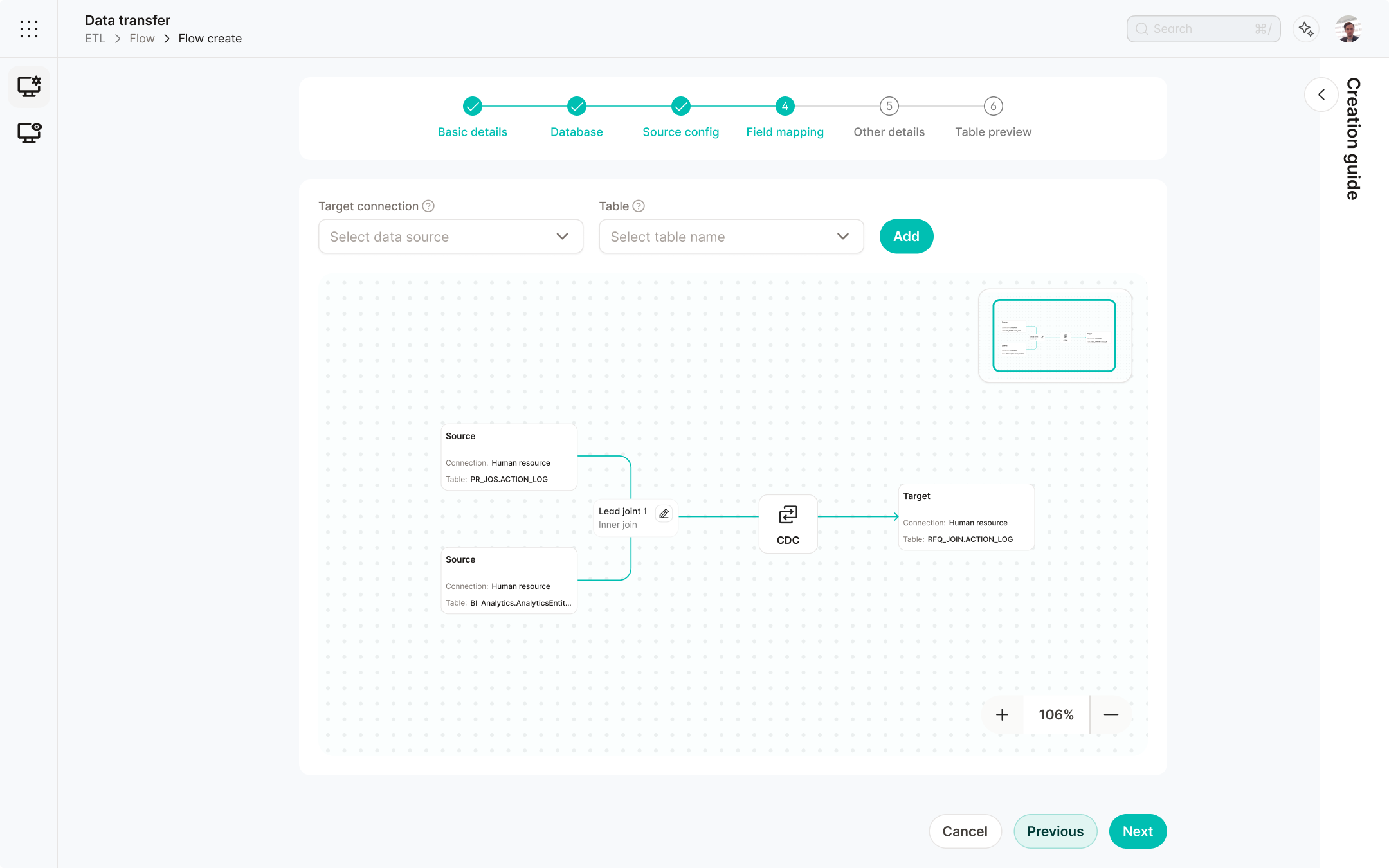
This was one of our first approaches to solve the problem; it was not perfect, but it was a step in the right direction.
In almost every module, there was the same pattern of creating a flow and then creating a deployment over it. This is the representation of flow from our X to Y sub-module. The solutions provided here were also provided in all the other modules.
The features discussed in the view screen were not implemented right away because they require more resources to be executed properly. For the time being, these features were put on hold and will be implemented in our next phase of updates.
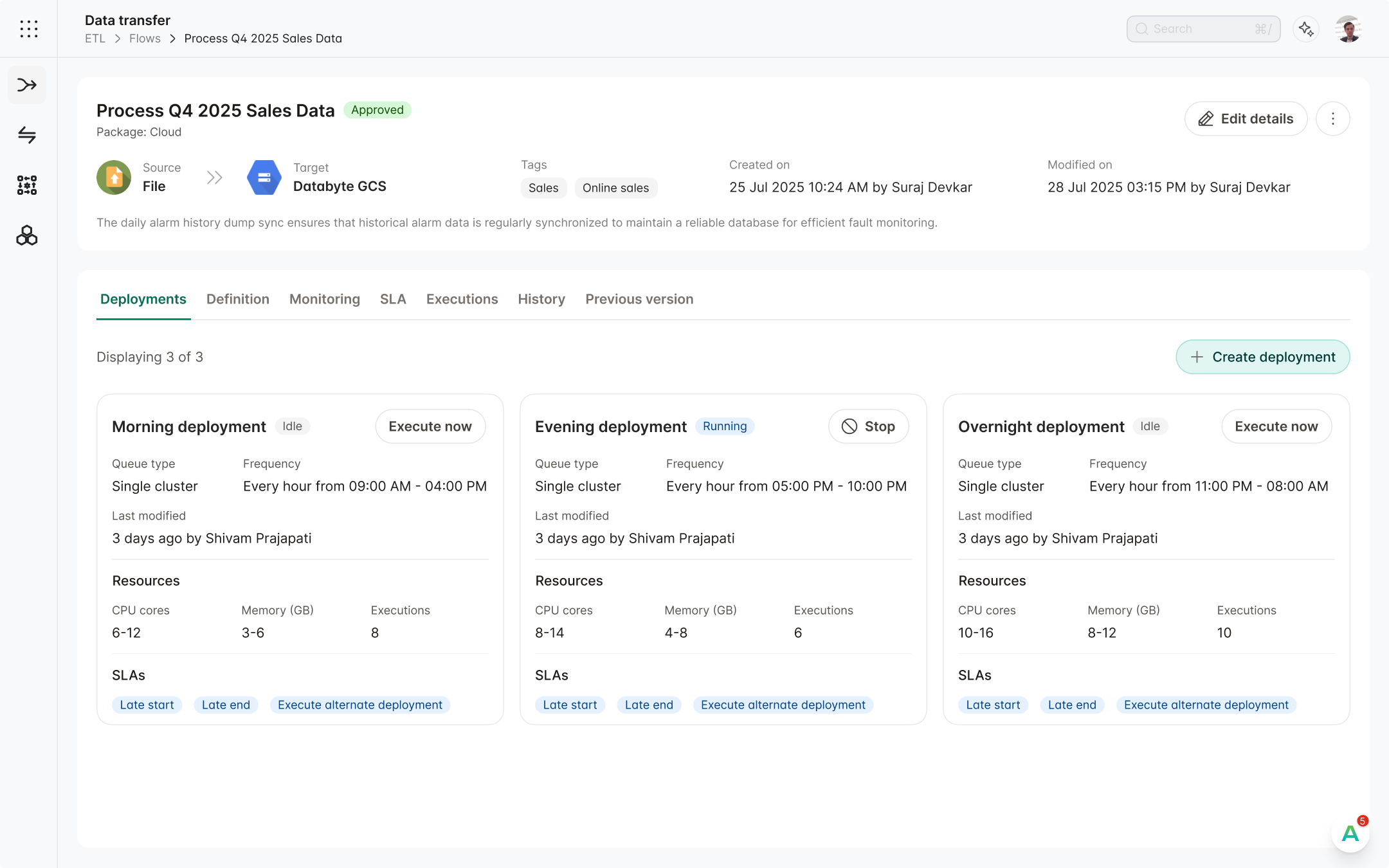
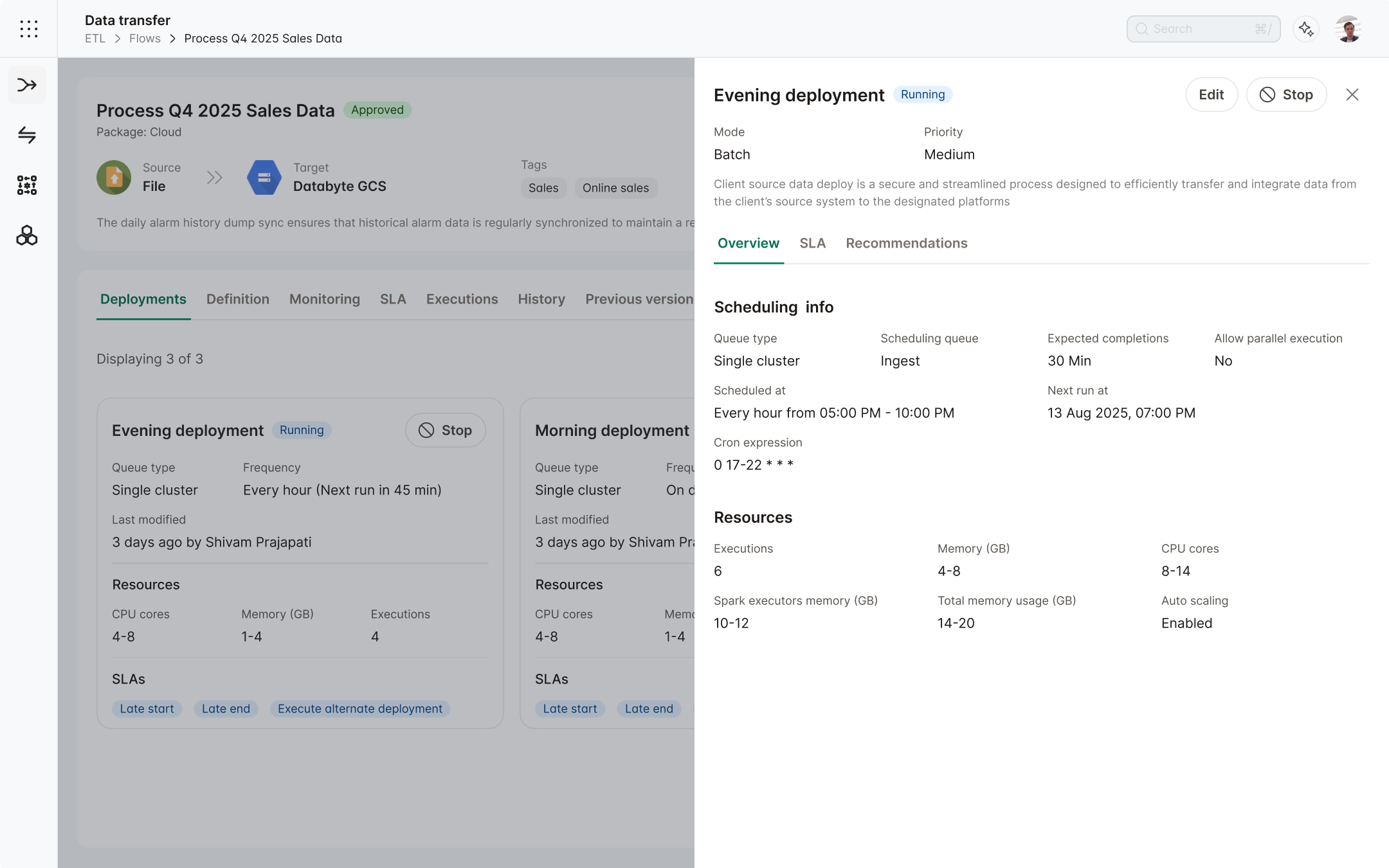
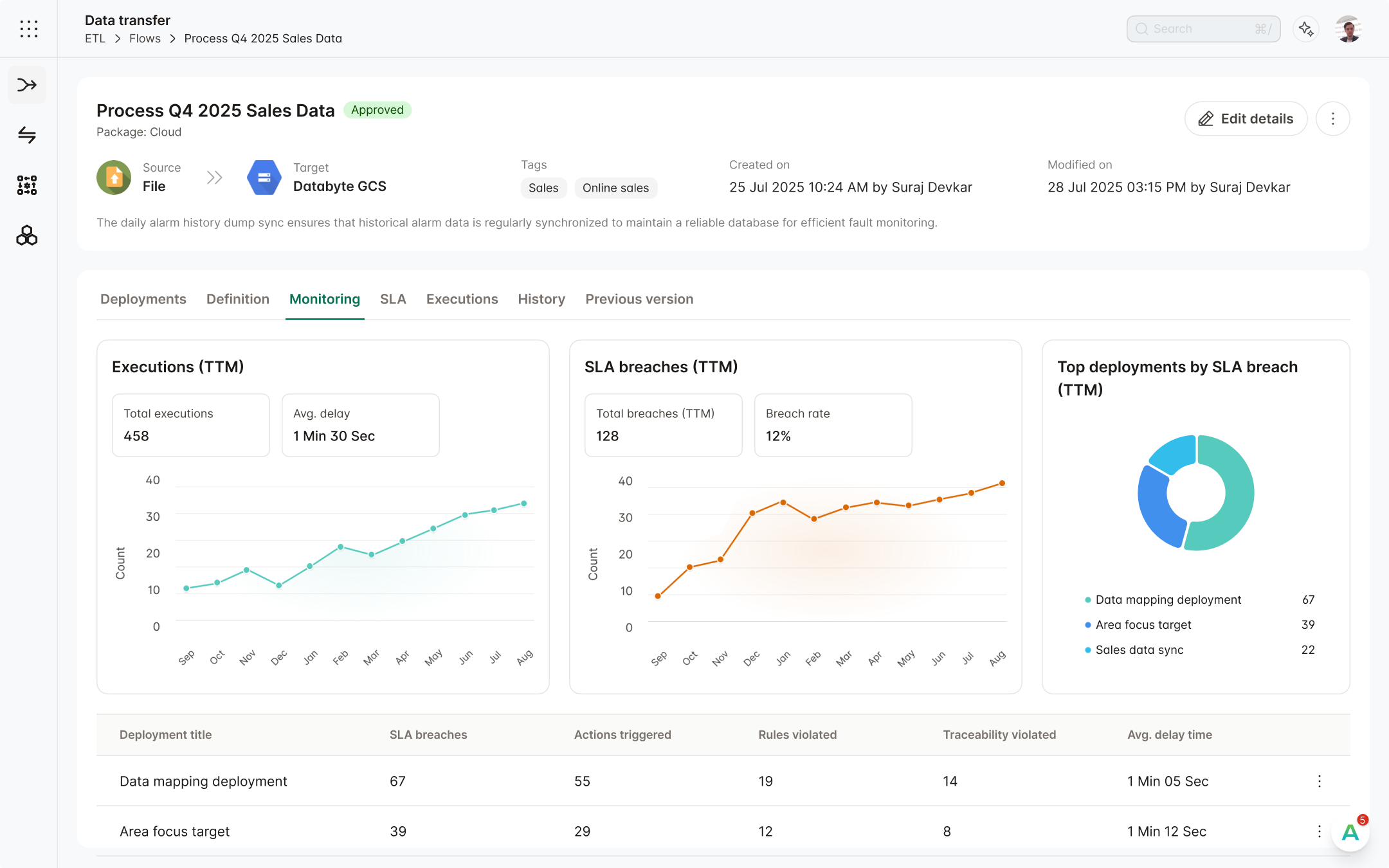
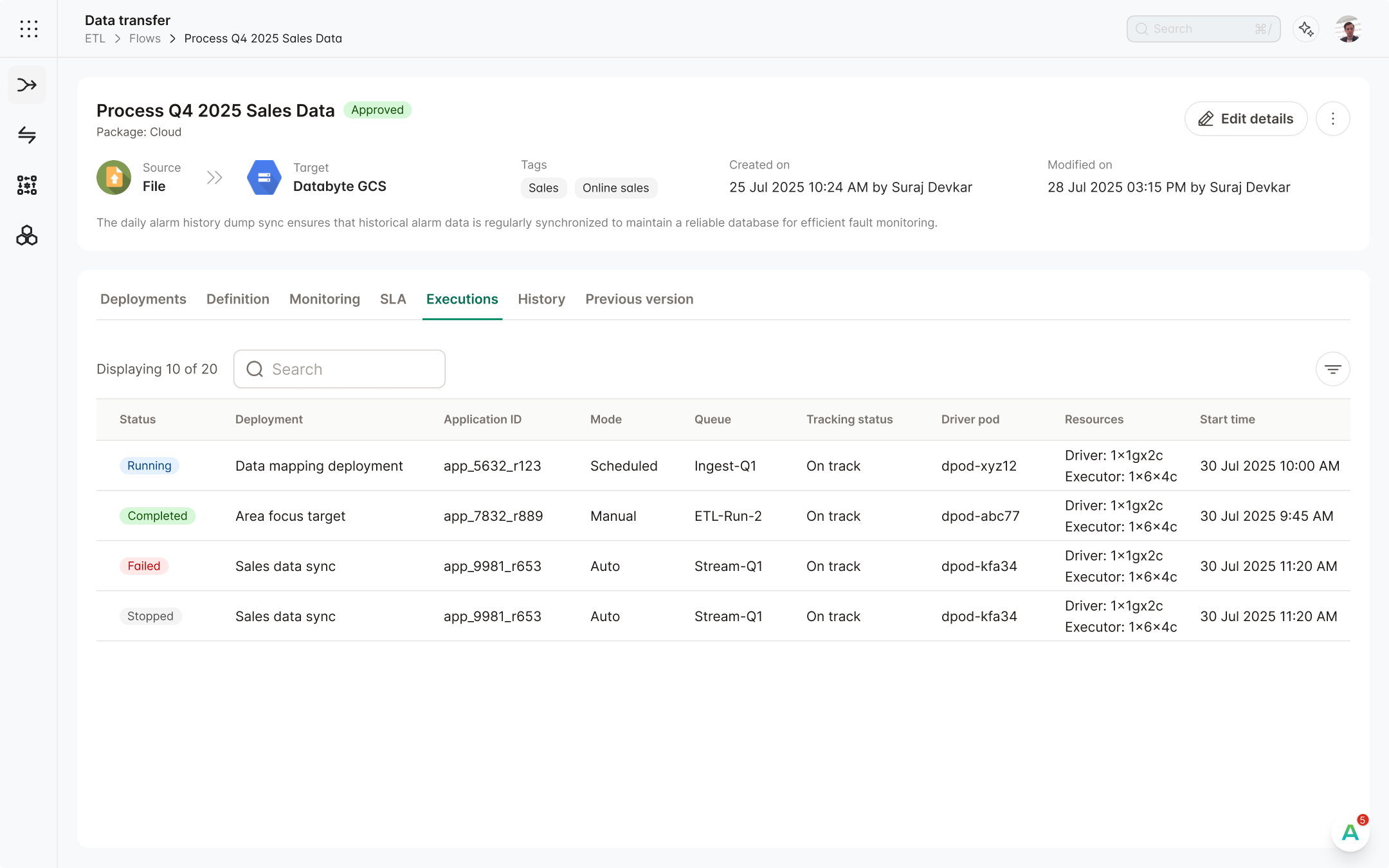
We focused on the decisions that made complex data-engineering workflows clearer, faster, and easier to use every day.
We simplified the flow experience by bringing related deployment, execution, and monitoring tasks into one clearer view.
After reviewing more than nine modules, we found a major information-architecture issue. Flow creation and deployment were separated, forcing users to move between distinct Flow and Deployment sections to manage the same entity. This duplicated context and increased cognitive load.
We treated deployments and executions as part of the Flow, bringing them into one workspace through dedicated tabs and removing unnecessary navigation between modules.
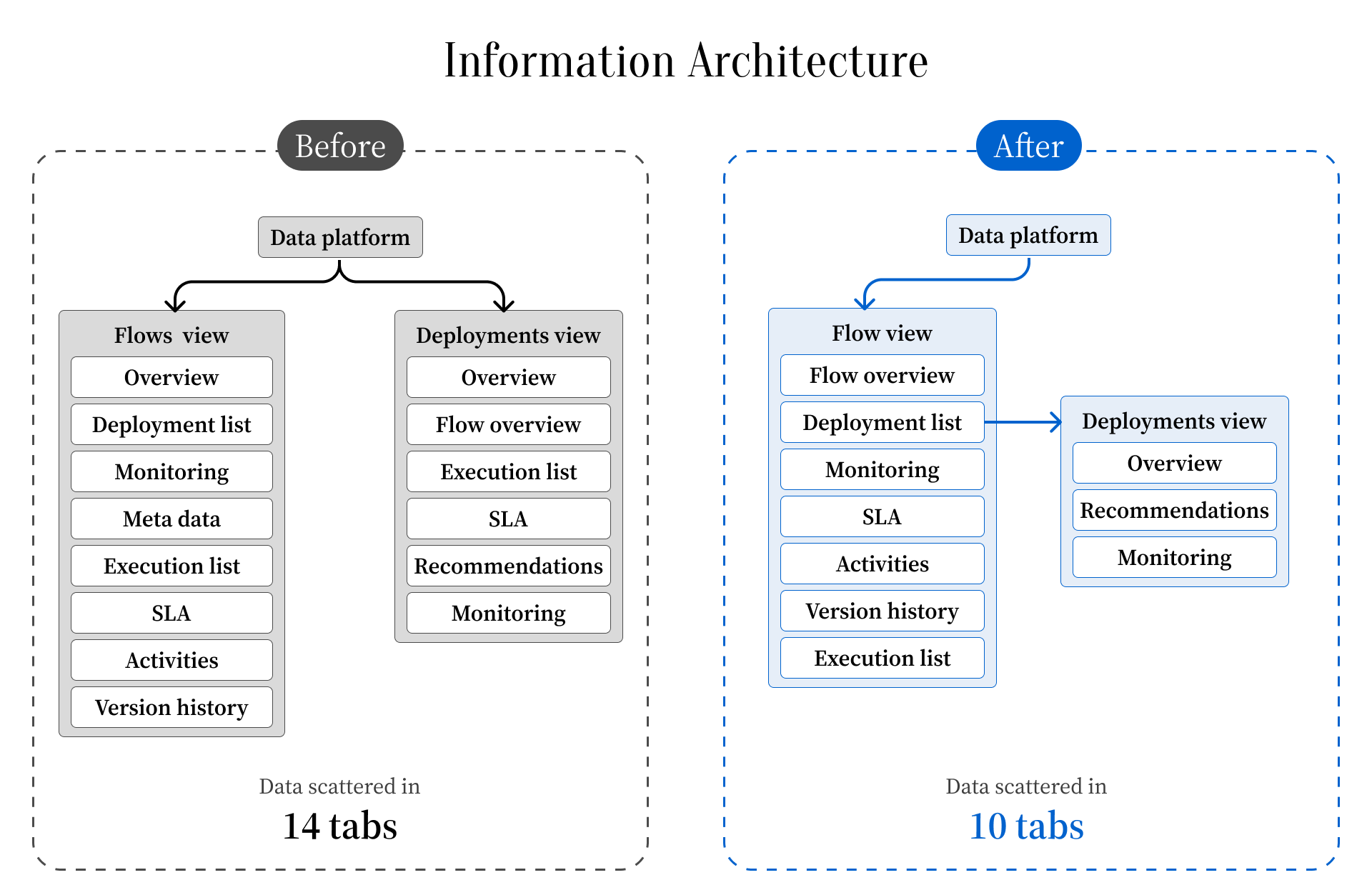
We merged the deployment view with Flow View, creating one workspace for clear, informed decision-making.
We added an Executions tab to the Flow, giving users a curated list of every deployment in that flow and its current status.
Advanced ETL is a low-code data-pipeline builder built on Apache NiFi. Like workflow tools such as n8n and Make, it enables users to create flows visually, but it is tailored to the needs of data engineers.
While reviewing the Apache NiFi documentation and conducting competitive analysis, we found that the platform was missing several key capabilities already available in Apache NiFi.
We validated the problem and its technical constraints during discovery, then designed a solution around the requirements.
We activated the previously hidden Queue Load Meter, making an essential usability feature readily available to users.
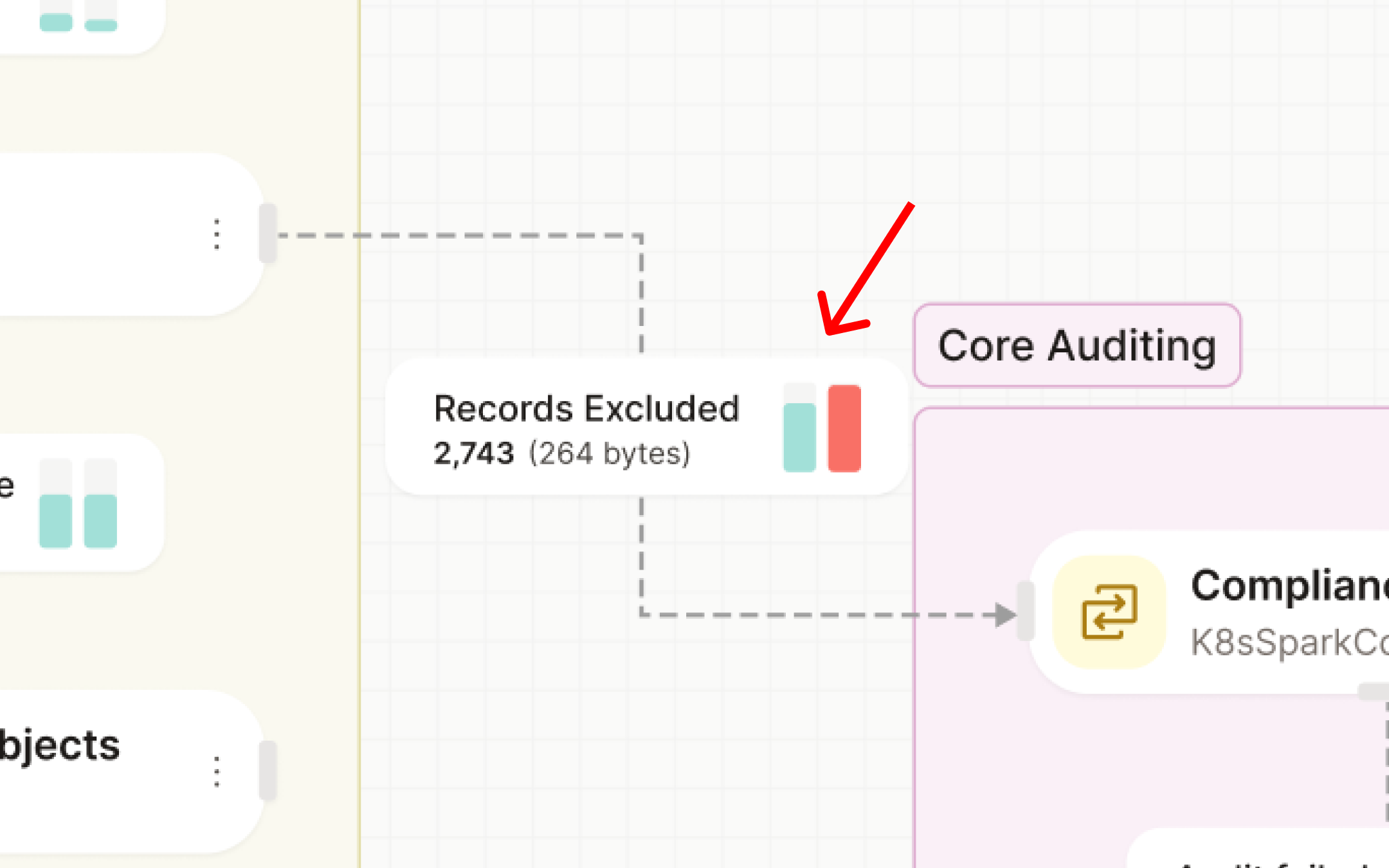
Because engineers use these products daily, wasted screen real estate can become an obstacle to their productivity.
We optimised the use of screen real estate and created an aesthetically pleasing interface for end users.
We grouped similar features together and made the UI more compact, giving users better screen real estate and a larger work area.
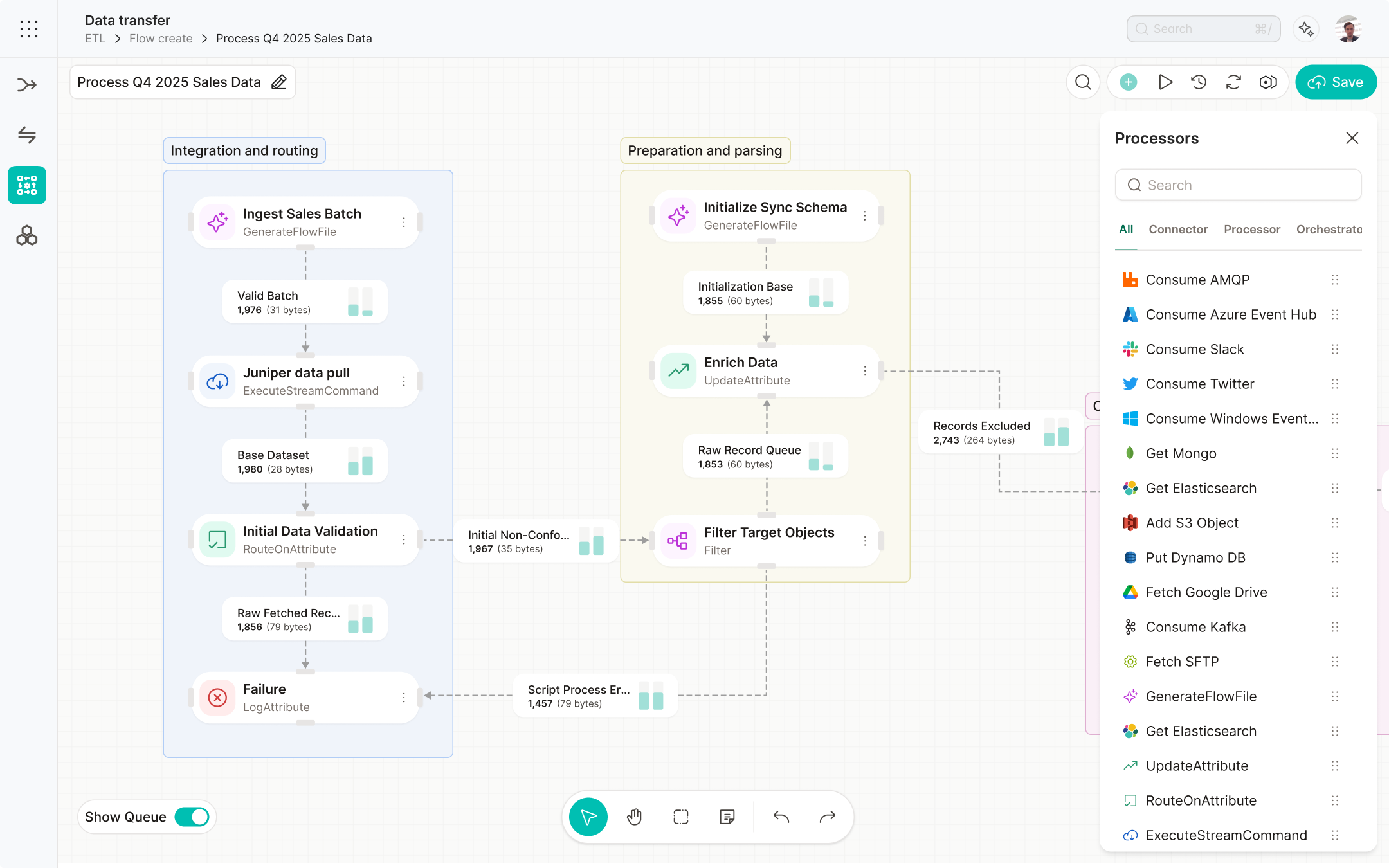
Beyond the visual redesign, we added new capabilities to the transformation step. Competitive analysis helped us identify clearer ways to manage the complexity of the interface.
The creation form used inefficient UI components for a task that required a more thoughtful, structured interaction.
We clarified users’ needs and the form’s purpose, identified unsuitable components, and discussed the findings with stakeholders before designing the solution.
We redesigned the table-joining interface as an infinite canvas, allowing users to drag and drop any number of database tables and build complex transformations. Previously, the interface became unusable once too many tables were joined.
Some forms were too complex for new users to complete confidently.
Through competitive analysis, we identified a clearer pattern and added guidance to each form to support users as they navigated it.
Based on our competitive analysis, we found that users needed in-form guidance to help them enter the right data in the right fields.
The client's exact words were, "The new design looks amazing and has improved far from the old one."

This workflow builder was used in multiple other modules. By updating Advanced ETL, we achieved improvements in multiple other modules.
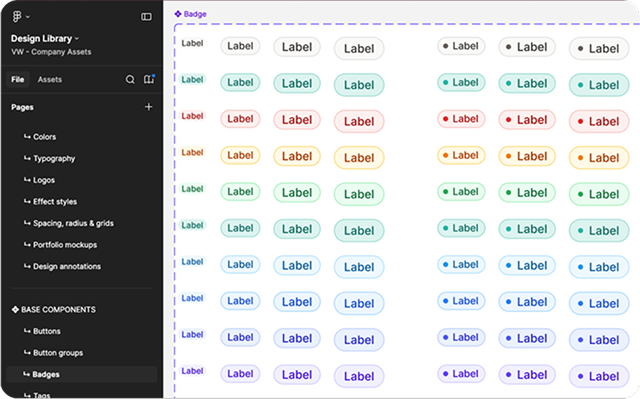
After the redesign, we also received a fully tested design system that can be used for updating other modules.
Working with such a large client taught me a lot about the workings of an established B2B product company.